Manager Portal

Run Every Property from One Screen

Managers, staff and technicians run each property from any web browser: residents and addresses, access cards and guest passes, the visitor log with photos, reports for the board, and the Attendant Desk. Nothing to install, and one login covers every property you manage.
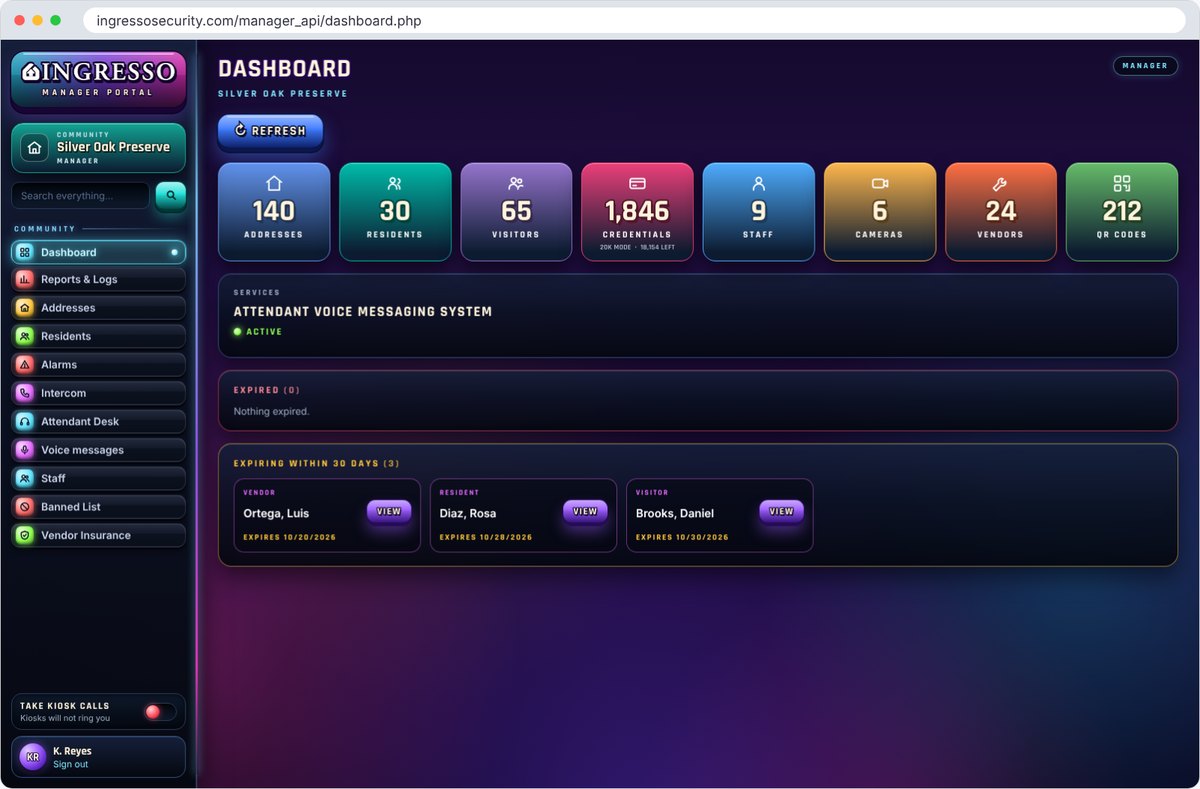
Ingresso Manager Portal dashboard in a web browser

A Quick Tour

Built for the People Who Run the Property

Ingresso Manager Portal dashboard with counts of addresses, residents, visitors, credentials and expiring records

Dashboard

See the Whole Property at a Glance

Open the portal and the property is in front of you: how many addresses, residents, visitors, credentials, cameras and vendors it has, and what needs attention.

  • Records that have expired or expire in the next 30 days
  • Services in use at the property
  • Shift Log, Board Report and Incident Reports one click away
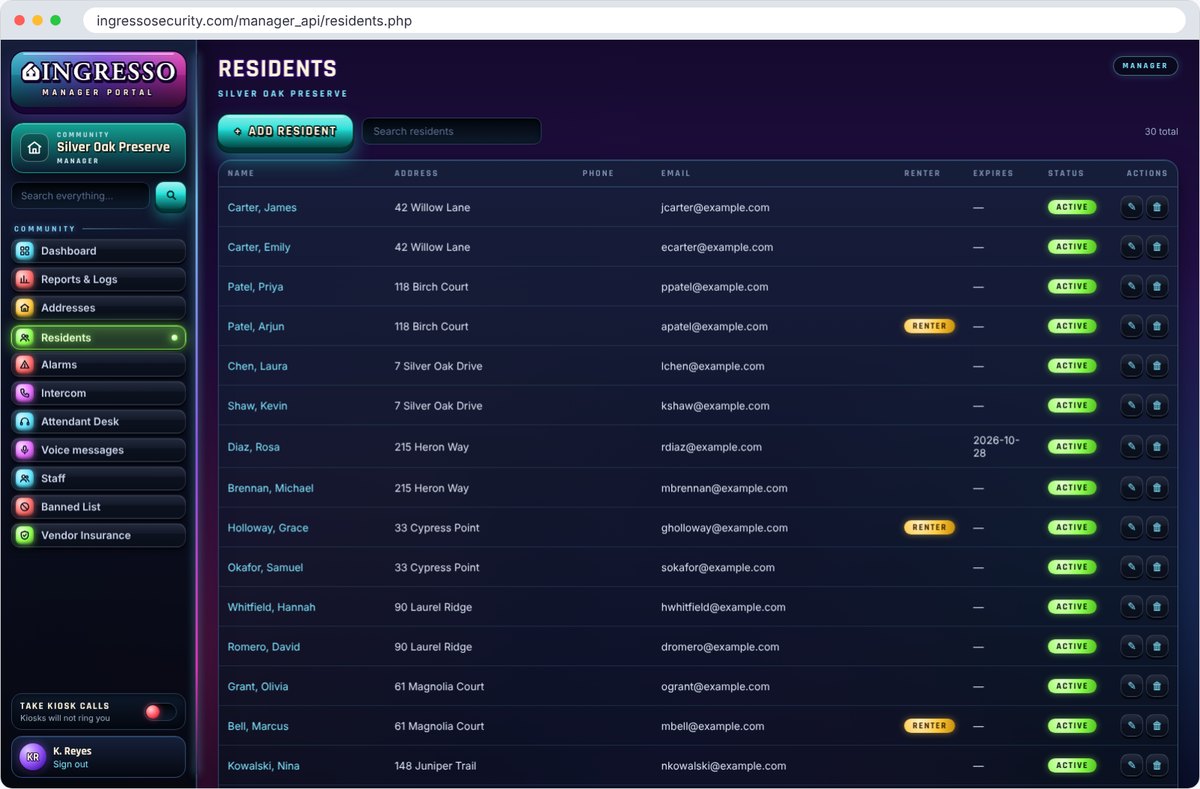
Residents list in the Ingresso Manager Portal

Residents and Addresses

People and Places, Kept Current

Add and update residents, tenants or employees and the addresses, units or suites they belong to. Changes reach the gates and doors automatically.

  • Access cards and QR codes issued from the record
  • Vehicles, renters and expiration dates
  • Search across the whole property from one box
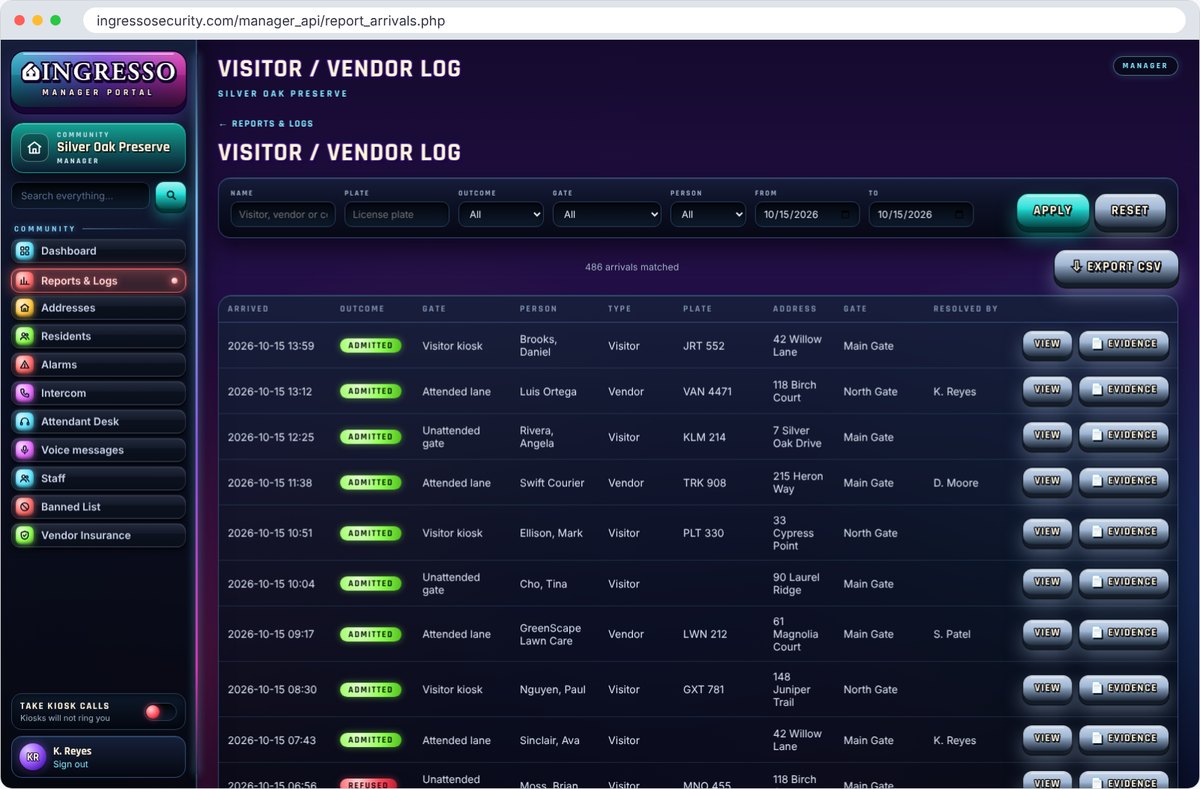
Visitor and vendor log in the Ingresso Manager Portal

Visitor / Vendor Log

Every Arrival, with the Evidence

Every visitor and vendor who arrived, from the Visitor Kiosk, the Attendant Station or an unattended gate, with who let them in.

  • Filter by name, plate, outcome, gate, person type and date
  • Photos and a downloadable evidence record for each arrival
  • Export to CSV for your own records
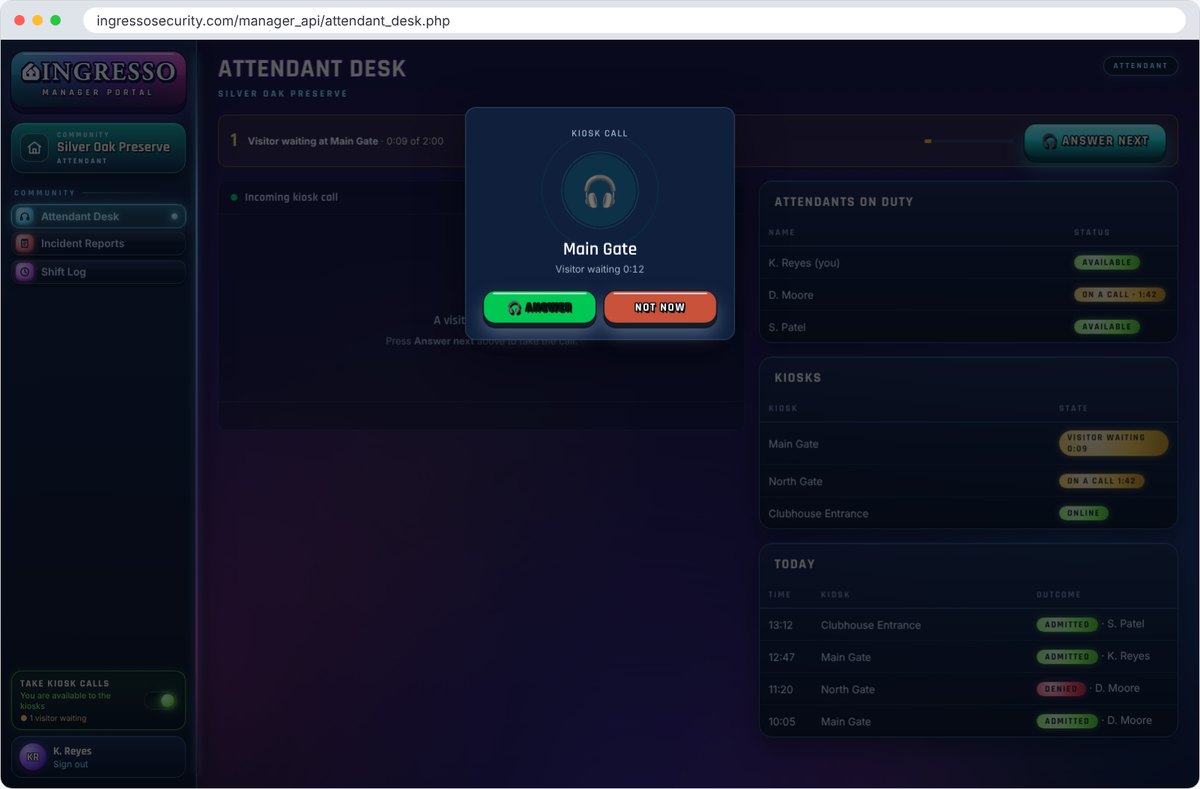
Attendant Desk in the Ingresso Manager Portal with an incoming kiosk call

Attendant Desk

Answer the Kiosks from Your Desk

Kiosk calls ring the next available attendant on whatever portal page they have open. Live video, a state-issued ID scan and one-click admit or deny. More about Remote Attendant.

  • See who is on duty and which kiosks are waiting
  • A log of every call and its outcome
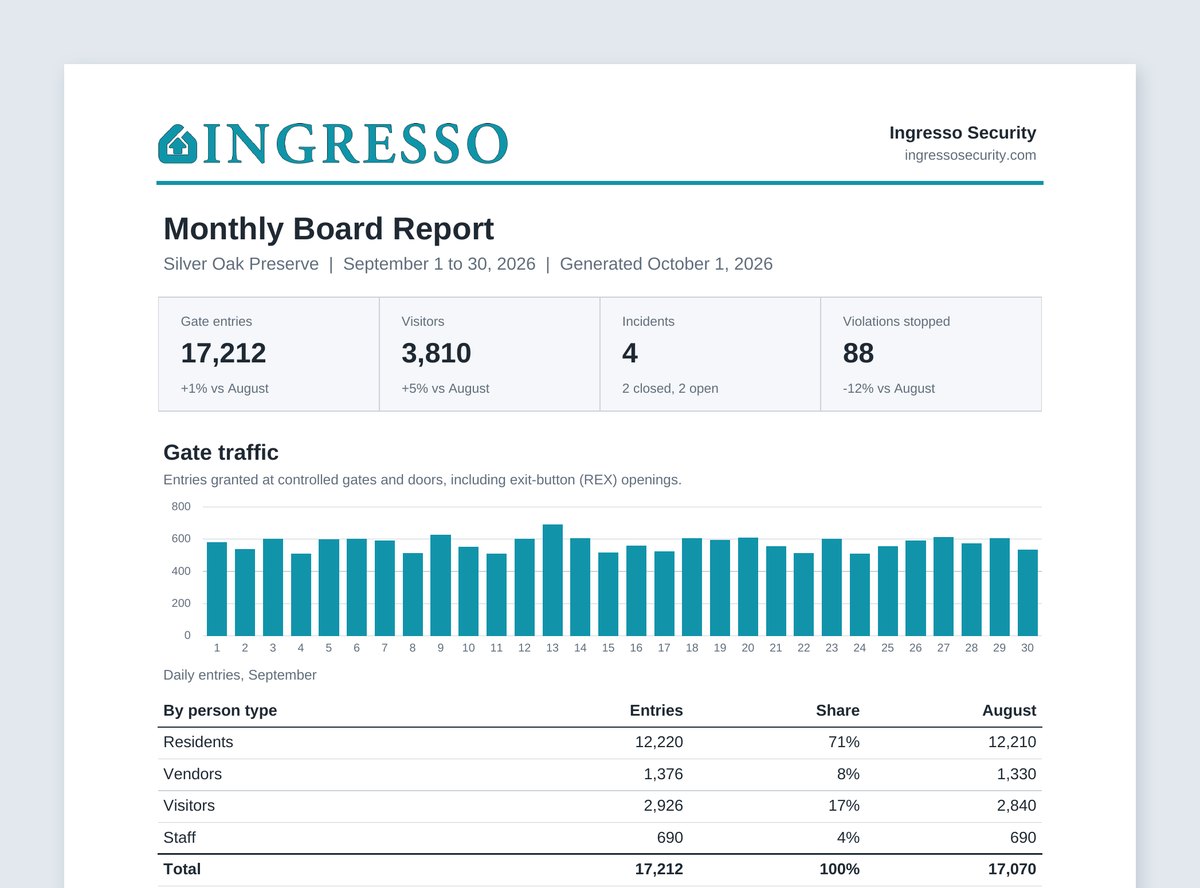
Monthly Board Report PDF from the Ingresso Manager Portal, with gate traffic, visitors, incidents and violations

Monthly Board Report

The Month, in a Report the Board Can Read

Early on the first of every month, the portal emails a PDF report to the people you choose: gate traffic, visitors, incidents and the violations the system stopped, each compared with the month before.

  • Daily entries, and the busiest hour at each gate and door
  • Visitors by how they were checked in, admitted and refused
  • Turn it on and add recipients in the portal; send any past month on demand

Also in the Portal

Everything Else Your Team Handles

Monthly Board Report

A PDF of gate traffic, visitors, incidents and violations, emailed to the board on the 1st of each month. Recipients do not need a login.

Banned List

One list enforced at every kiosk and gatehouse. A kiosk refuses a match automatically; at the gatehouse, admitting a match anyway takes a reason, and management is told.

Vendor Insurance

Keep each vendor's certificate of insurance on file and see whose coverage is about to lapse.

Incident Reports

Record what happened, where and who was involved, with photos, and keep it with the property's history.

Shift Log

Attendant shifts, entries and handover notes, so the next shift knows what the last one saw.

Access Log

Every credential used at every gate and door, searchable by person, card and time.

Alarms and Intercom

See door and gate alarms as they happen, and talk to the gatehouse from the office.

Staff and Roles

Give each person their own login and the role they need: admin, manager, technician or attendant.

Kiosks and Stations

Set up every Visitor Kiosk and Attendant Station without visiting the site: names, ID policy, printers, cameras, updates and tech support.

Applications

Built for Every Property You Manage.

Gated Communities

Guest passes, vehicles and renters for every home.

Condominiums

Lobby, garage and amenity access for every unit.

Commercial

Tenant staff, guests and contractors by suite.

Industrial

Employees, drivers and carriers by zone.

Government

Staff, visitors and contractors across facilities.

What You Need

A Browser and a Login

Access
SoftwareA current web browser. Nothing to install
DevicesDesktop, laptop or tablet
PropertiesOne login covers every property you manage; switch between them in one click
People
RolesAdmin, manager, technician and attendant
LoginsEvery staff member has their own, and every change is tied to a name
Data
HostingCloud-hosted by Ingresso over HTTPS
SeparationEvery property's data is kept apart
ExportsCSV exports and per-arrival evidence records

Works with: the Visitor Kiosk, the Attendant Station and Remote Attendant.

See the Manager Portal with Your Own Property

One screen for everything your team does at the gate and the door.