Resident Portal

Your Guests, on Your Terms

Residents, tenants and employees add their own visitors and vendors, send QR guest passes by email or text, and answer the Visitor Kiosk when a guest arrives. It all runs in a web browser, so there is nothing to install.
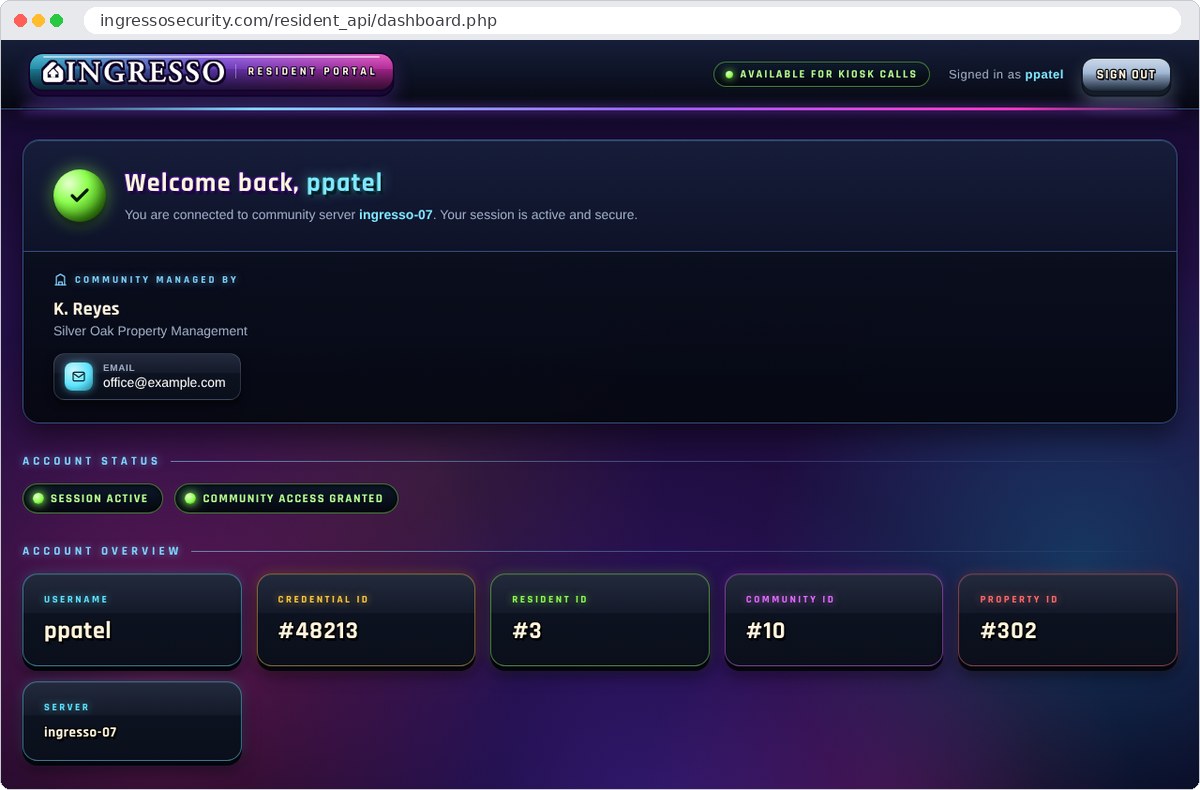
Ingresso Resident Portal home page in a web browser

A Quick Tour

Less Work for the Front Desk

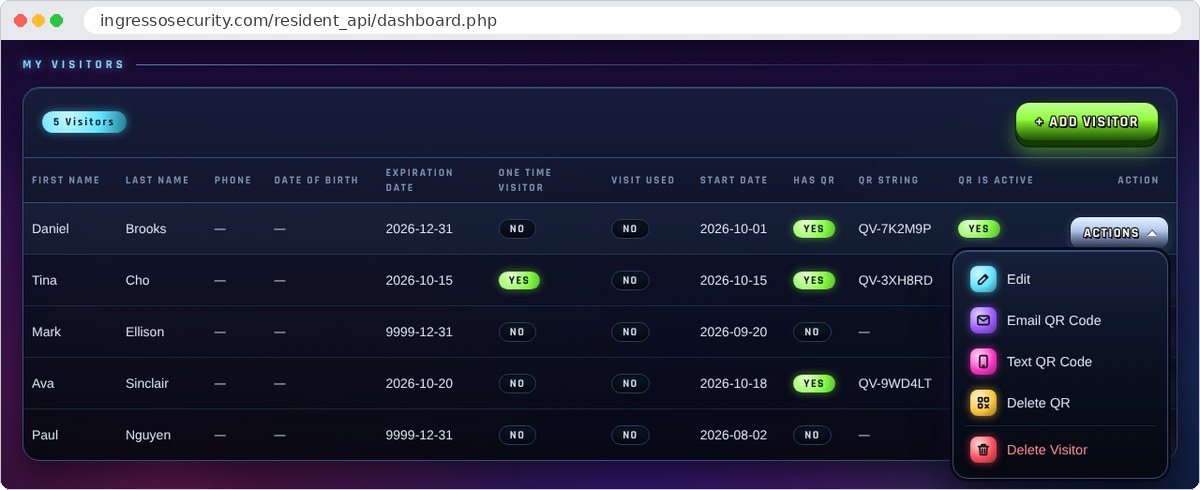
My Visitors list in the Ingresso Resident Portal with the Actions menu open

My Visitors

Add a Guest Before They Arrive

Add a visitor with a start date and an expiration date, or mark them as a one-time visitor. Then send them a QR guest pass to scan at the gate or door.

  • Email or text the QR code straight to the guest
  • One-time passes stop working after the first visit
  • Remove a guest or their QR code at any time
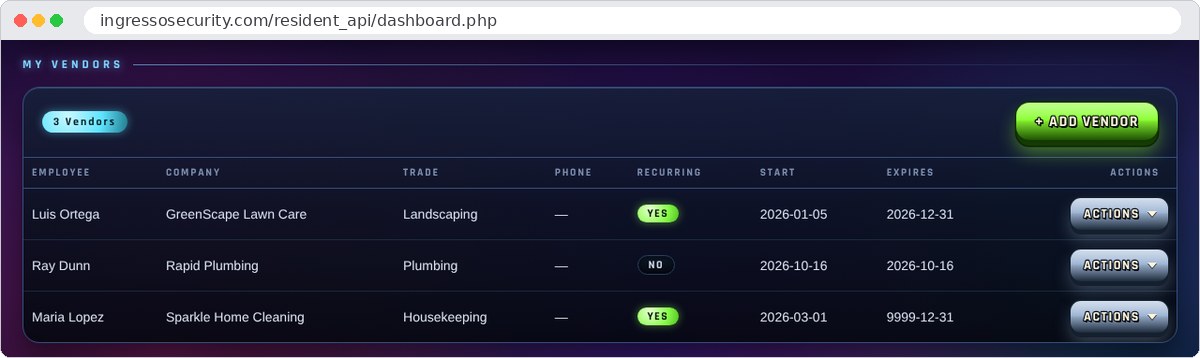
My Vendors list in the Ingresso Resident Portal

My Vendors

Service Providers, Handled

Landscapers, cleaners, plumbers and other regular vendors are kept on file with their company and trade, for a single day or on a recurring schedule.

  • Recurring or one-day vendor access
  • QR codes for vendors, sent by email or text
  • Start and expiration dates for every vendor
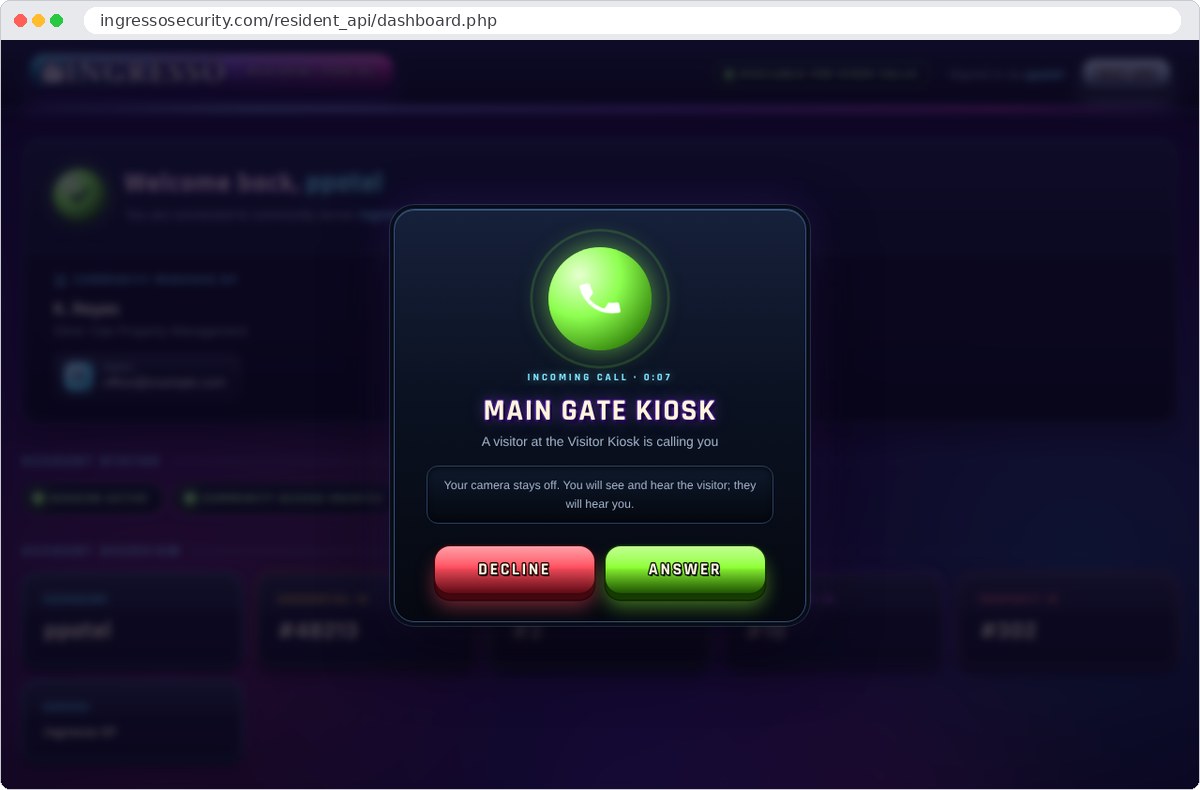
Incoming Visitor Kiosk call in the Ingresso Resident Portal

Visitor Kiosk Calls

The Kiosk Rings Your Browser

While the portal is open, visitors can find you on the Visitor Kiosk and call you. The page rings like a telephone and shows a notification if you are working in another tab.

  • “Available for kiosk calls” shows whenever the portal is open
  • Answer or decline with one click
  • Your camera stays off
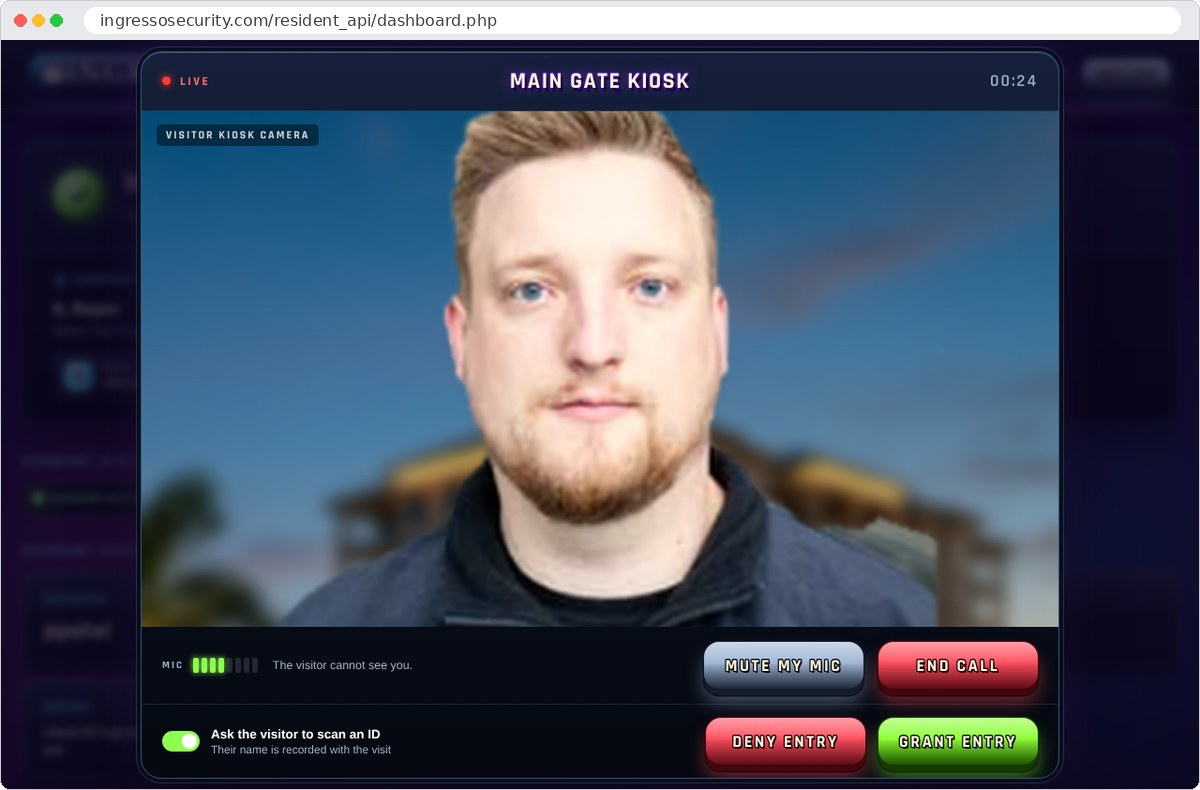
Live video from the Visitor Kiosk camera with Grant Entry and Deny Entry buttons in the Ingresso Resident Portal

Grant Entry

See Who Is There, Then Let Them In

You see and hear the visitor through the kiosk camera, and they hear you. When you are ready, choose Grant Entry or Deny Entry.

  • Ask the visitor to scan a state-issued ID, so their name is recorded with the visit
  • Anyone on the Banned List is refused automatically
  • Every visit is recorded for the property

Also in the Portal

Everything in One Place

Property Contact

The name, company and email address of the property's manager, always on the first page.

My Contact Info

Keep your own email address and contact details up to date, so passes and notices reach you.

My Vehicles

See the vehicles registered to your account and whether each one is active.

Property Rules

Limits the manager sets, such as how long a guest pass can last, apply automatically.

Private to Each Account

Residents see only their own guests, vendors and details, never anyone else's.

Account Status

See at a glance that your access is active and, where it applies, when it expires.

Applications

For Everyone Who Lives or Works There

Gated Communities

Homeowners and renters pass their own guests and vendors.

Condominiums

Unit owners register guests, movers and service providers.

Commercial

Tenants register their own guests and contractors.

Industrial

Employees register visitors and service providers ahead of time.

Government

Staff register visitors and contractors before they arrive.

What You Need

A Browser and an Account

Access
SoftwareA current web browser. Nothing to install
DevicesDesktop, laptop or tablet
AccountsIssued by the property's manager
Kiosk Calls
AudioA microphone and speakers or a headset
CameraNot needed. Your camera is never used
AvailabilityCalls reach you while the portal is open
Data
HostingCloud-hosted by Ingresso over HTTPS
PrivacyEach account sees only its own guests and vendors

Works with: the Visitor Kiosk and the Manager Portal.

Put the Guest List in the Right Hands

Fewer calls to the office, faster entry at the gate and door.